Getting set up in the CIP can be done in a few short steps:
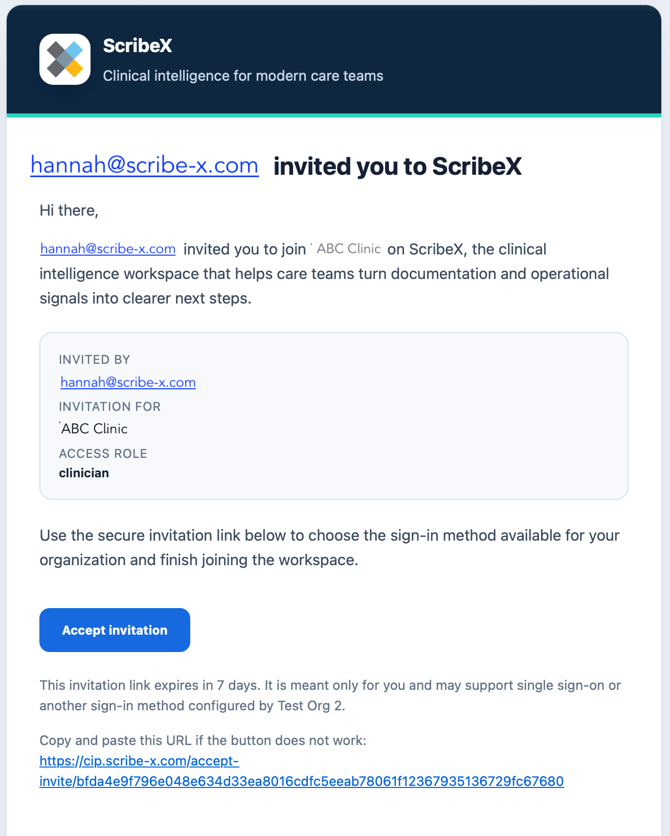
- You will receive an email to your clinic email
- Select “Accept Invitation”
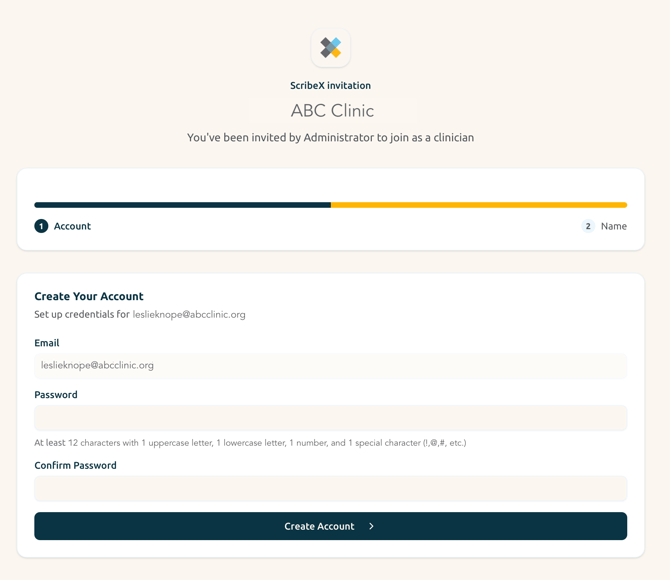
- Check the email is accurate - this will be your username moving forward
- Enter a password. Your password must contain 12 characters with:
- 1 Uppercase Letter (A, B, C, etc.)
- 1 Lowercase Letter (a,b,c, etc.)
- 1 Number (1,2,3, etc.)
- 1 special character (!, @, #, etc.)
- Confirm your password
- Select “Create Account”
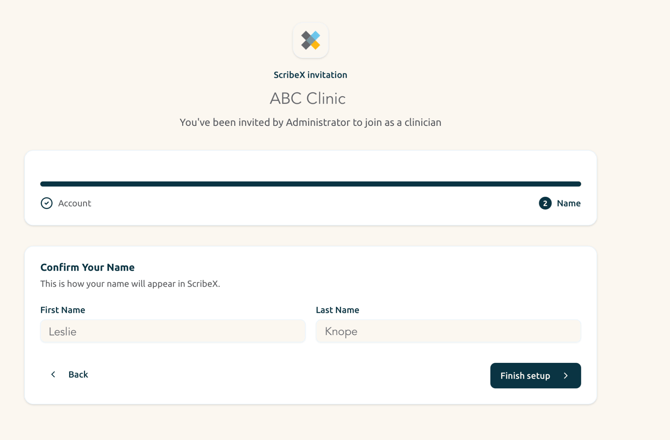
- Confirm your First Name and Last Name are spelled correctly. The name needs to match what you have entered in UKG.
- Select “Finish setup”